Manage an existing role
The settings of existing roles can be managed by the project owner or by a user with sufficient permissions.
The process is carried out in the Access Management section of the project settings.
To edit a role:
1. In the roles list, click the Settings button next to the role you want to modify
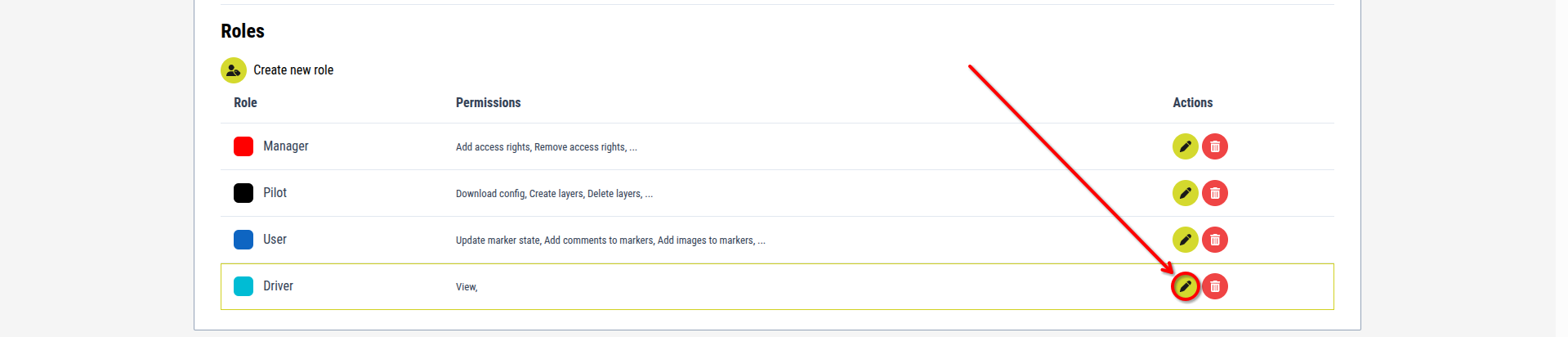
[Image for step 1]
2. Edit the name of the role in the textbox if desired
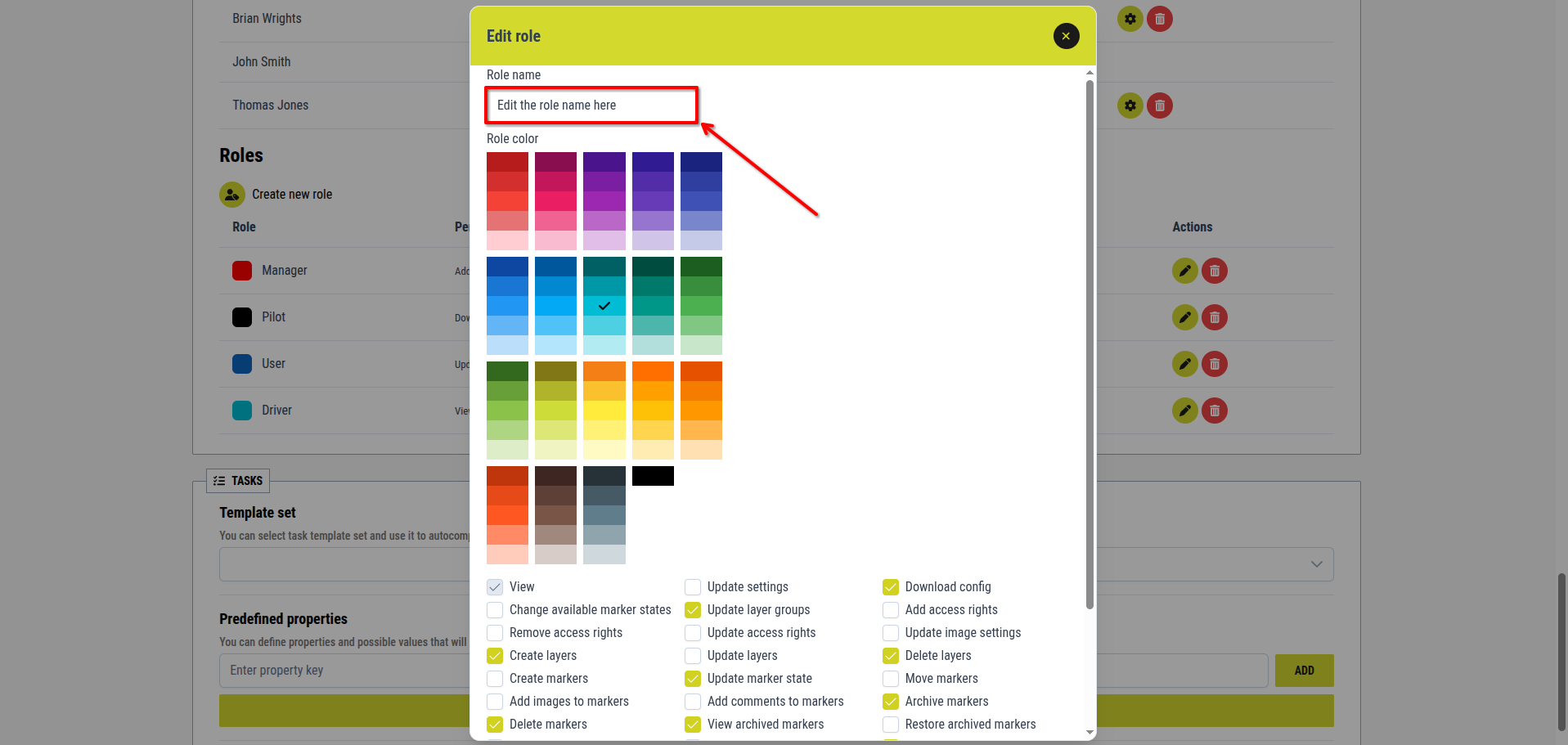
[Image for step 2]
3. Choose a new color for the role from the displayed color palett if desired
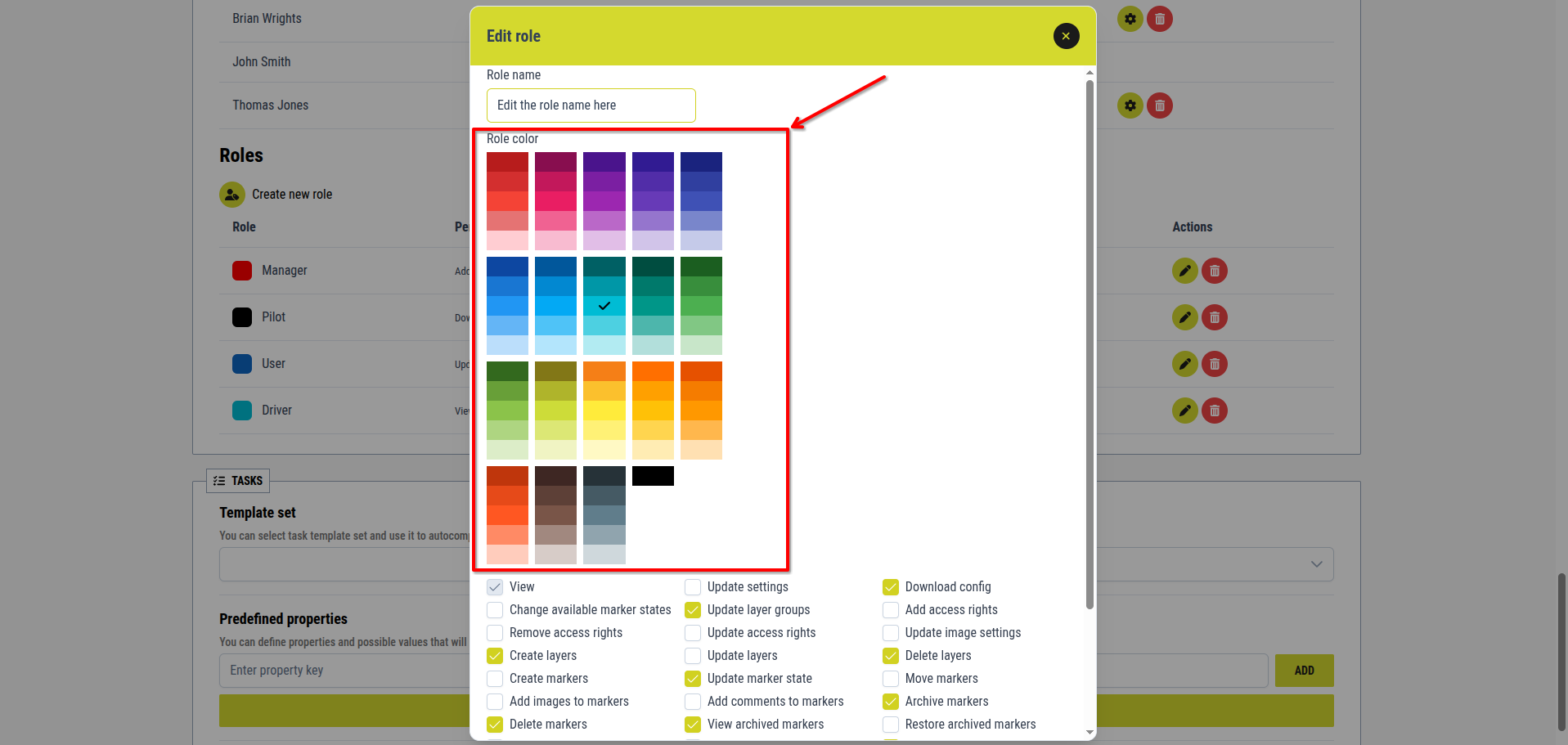
[Image for step 3]
4. Use the permissions checkboxes to redefine the role’s permissions if desired
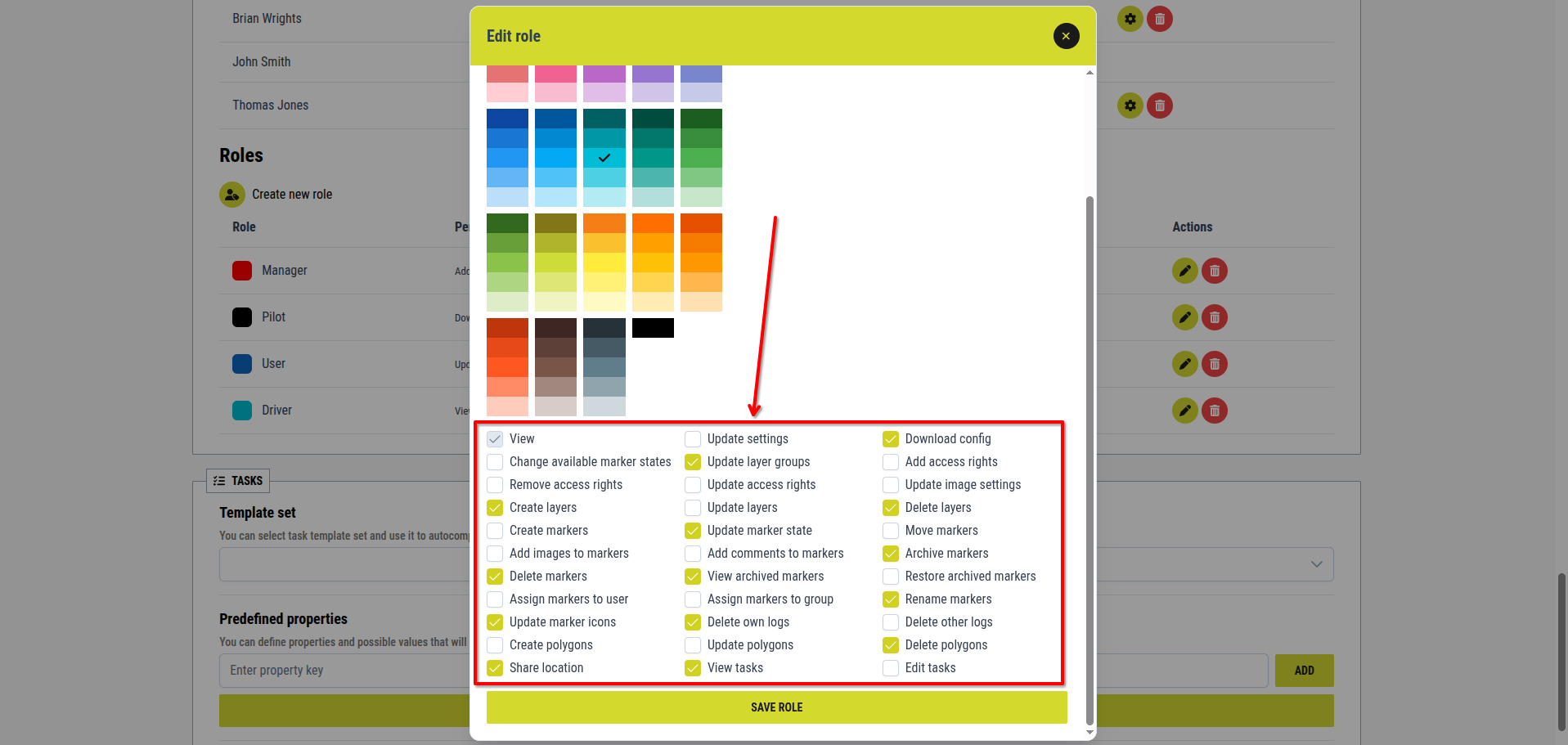
[Image for step 4]
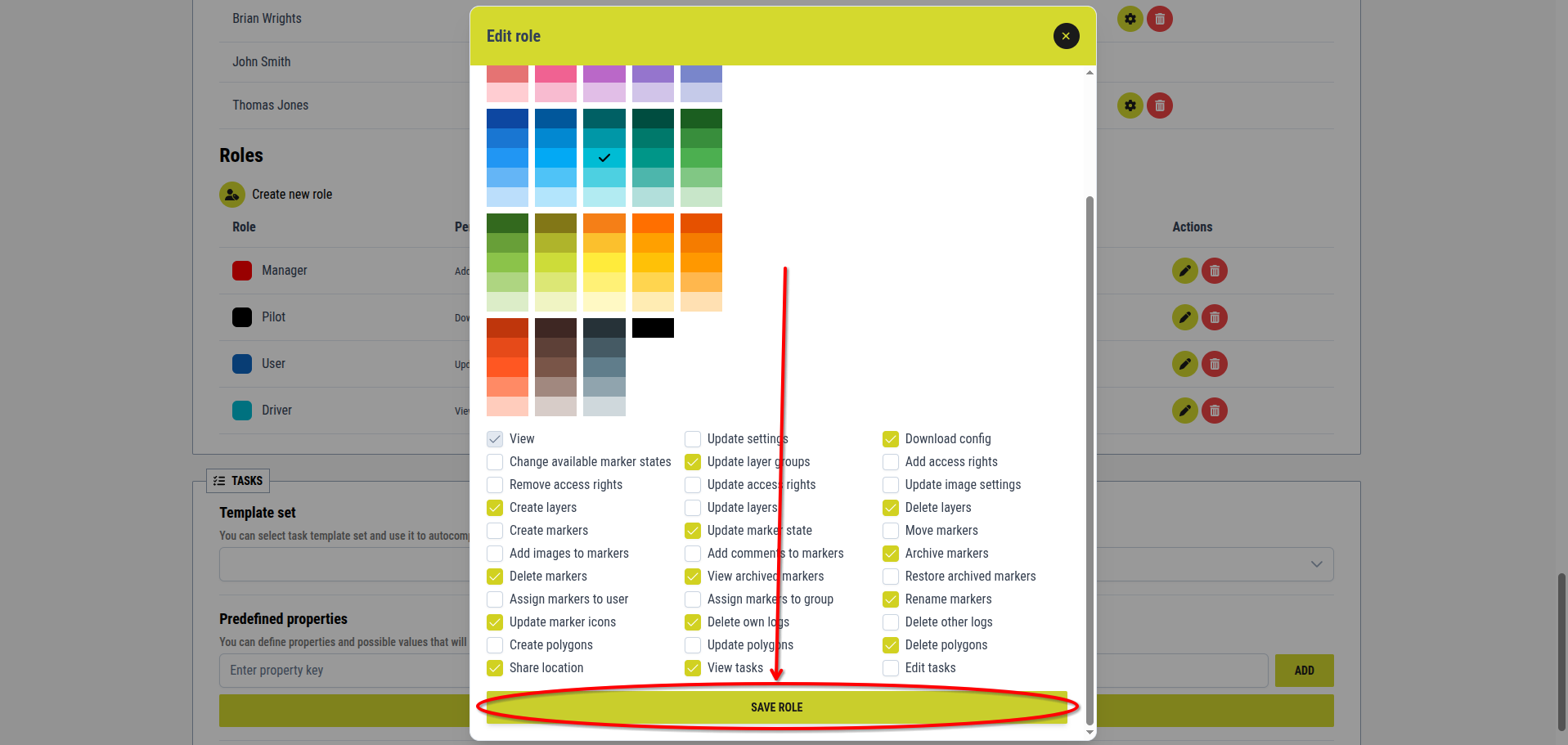
5. Click the Save role button
[Image for step 5]
There is no limit to how many times a role can be edited.