Create a new role
New roles can be created to better match the needs of managing work within a specific project.
This action can be performed by the project owner or by a user with sufficient permissions.
The process is carried out in the Access Management section of the project settings.
To create a new role:
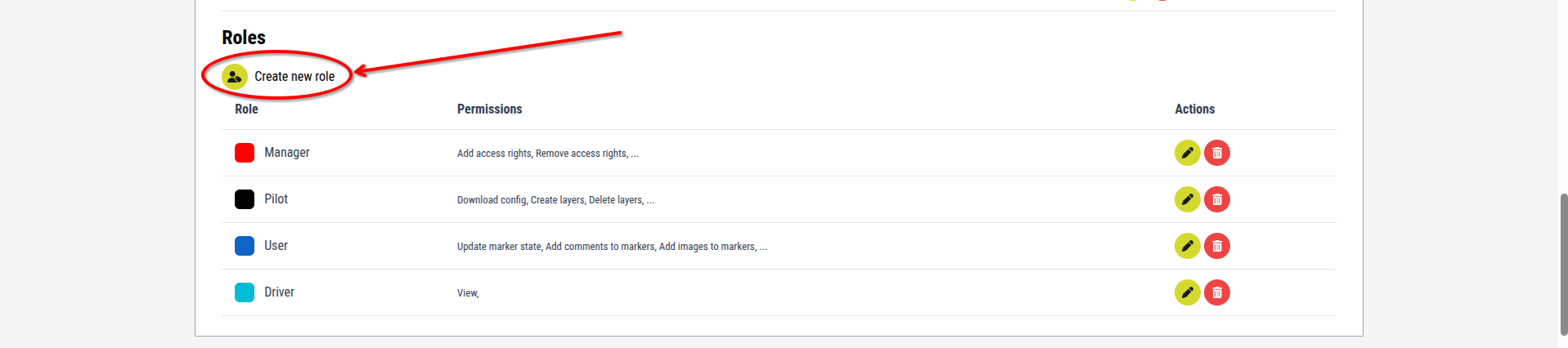
1. Click the "Create new role" button
[Image for step 1]
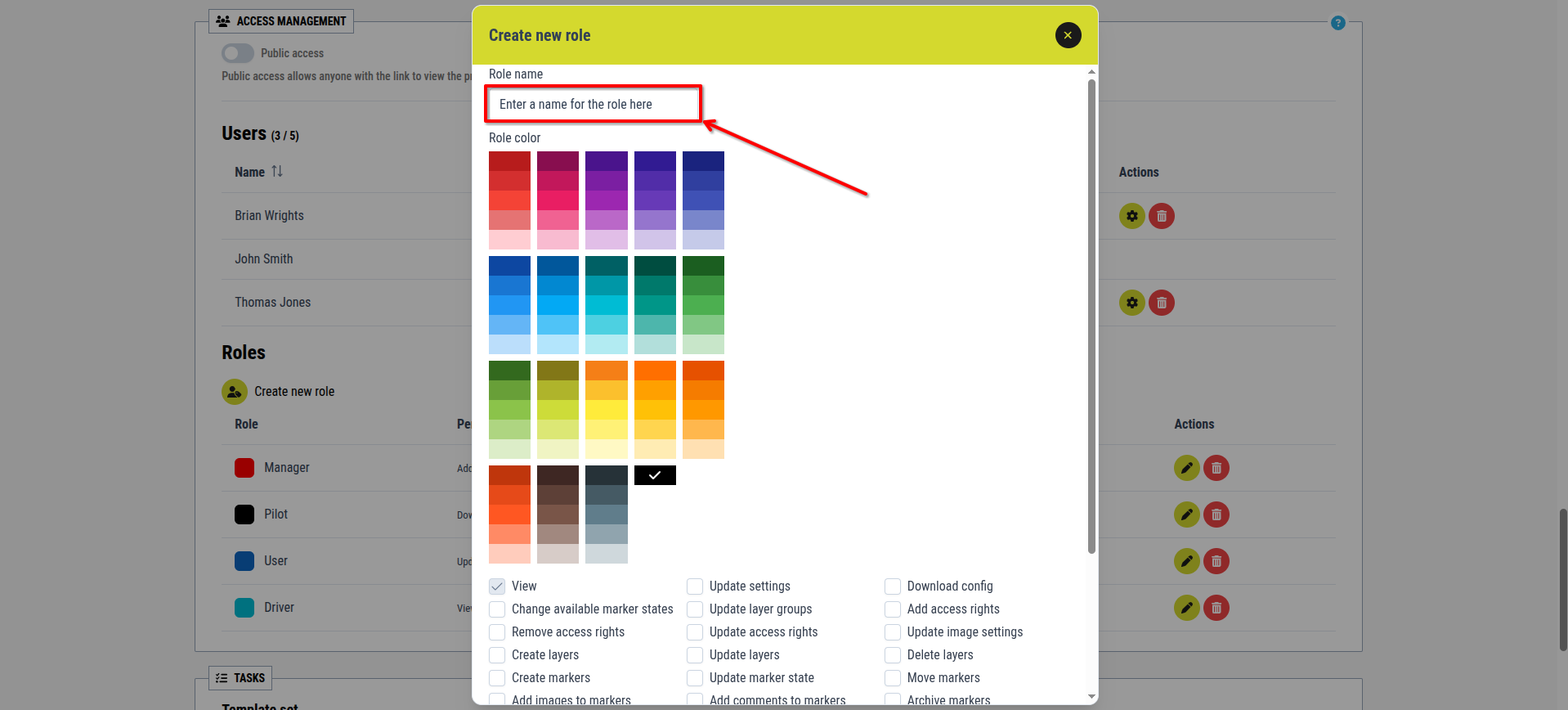
2. Enter a name for the role in the textbox
[Image for step 2]
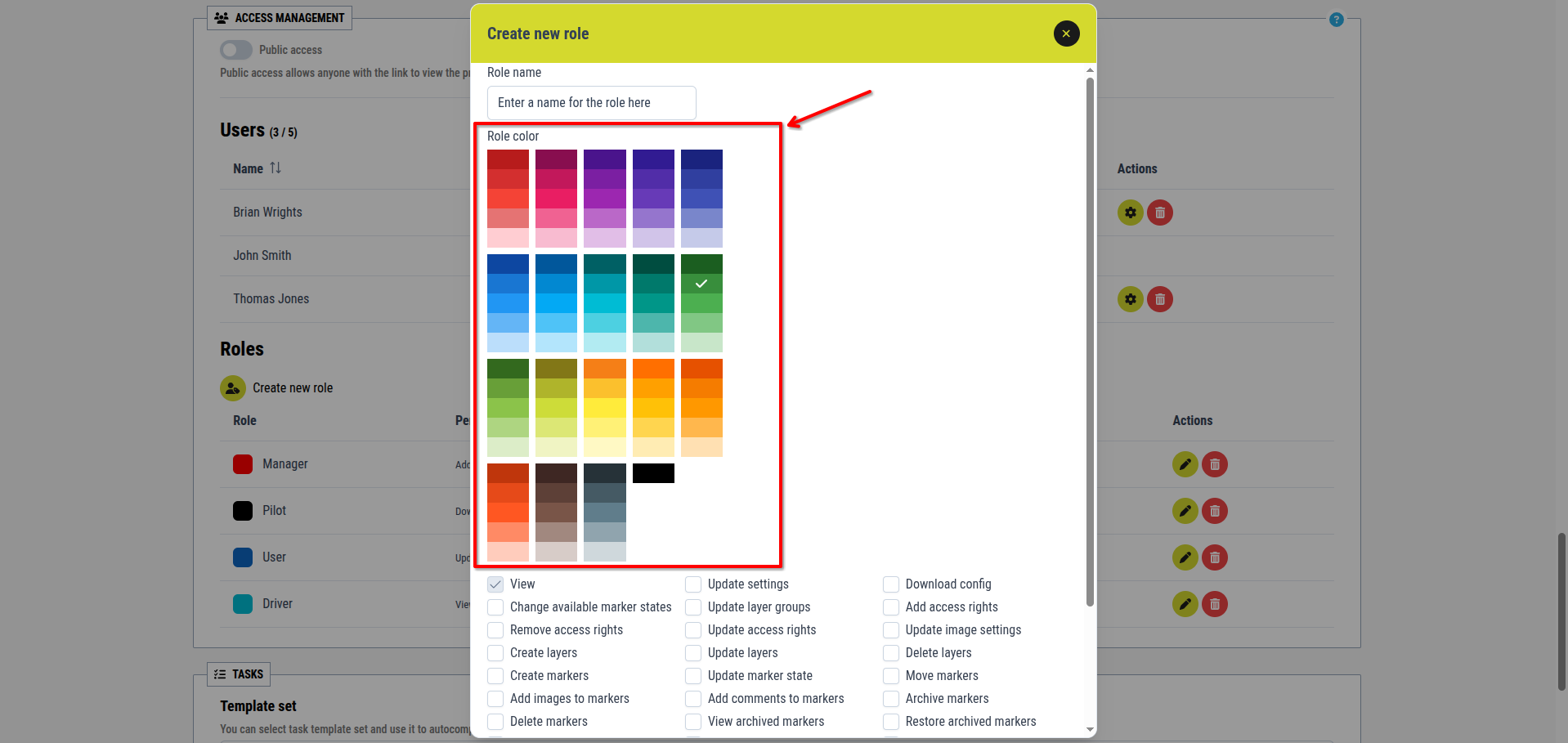
3. Choose a color for the role from the displayed color palett
[Image for step 3]
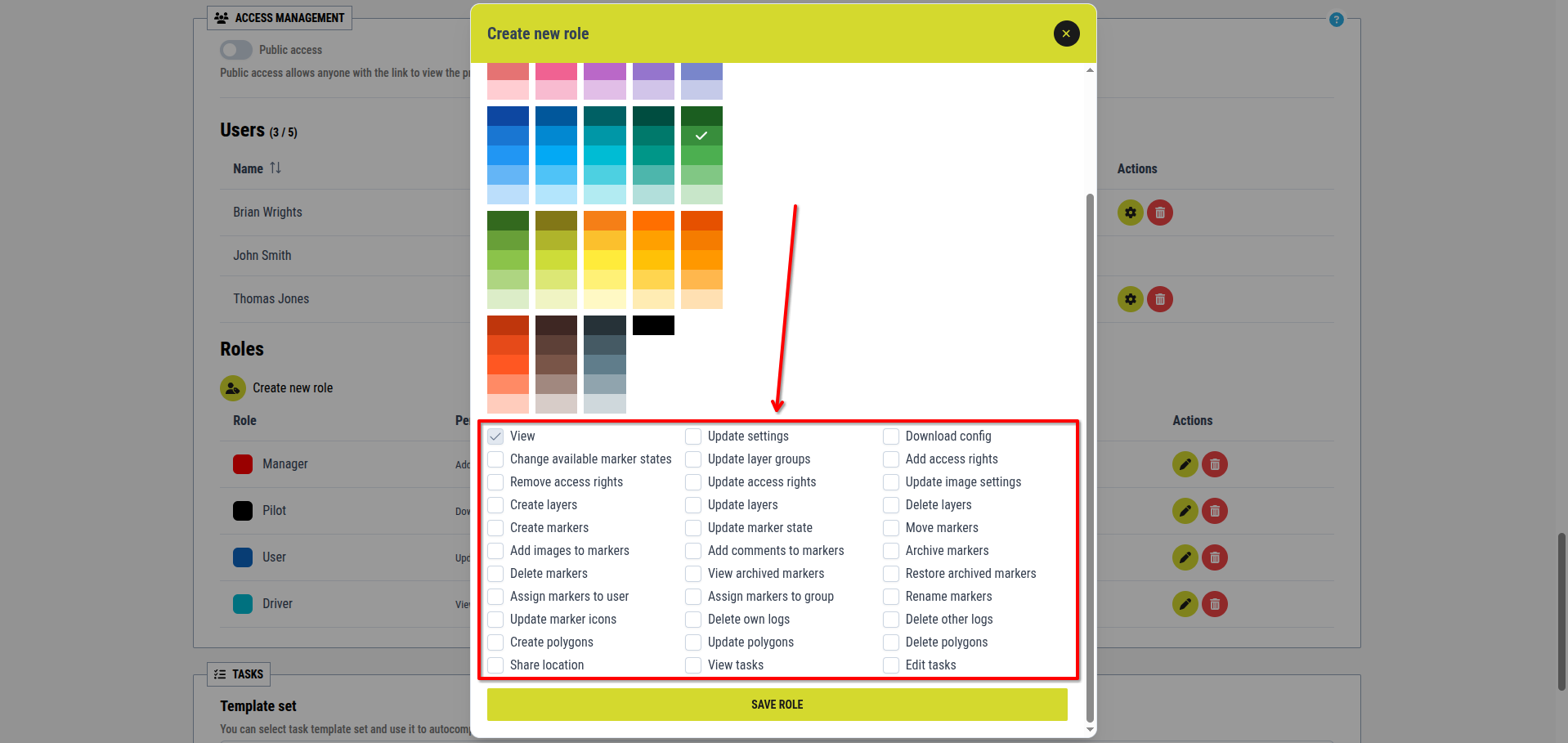
4. Use the permissions checkboxes to define the role’s permissions
[Image for step 4]
5. Click the Save role button
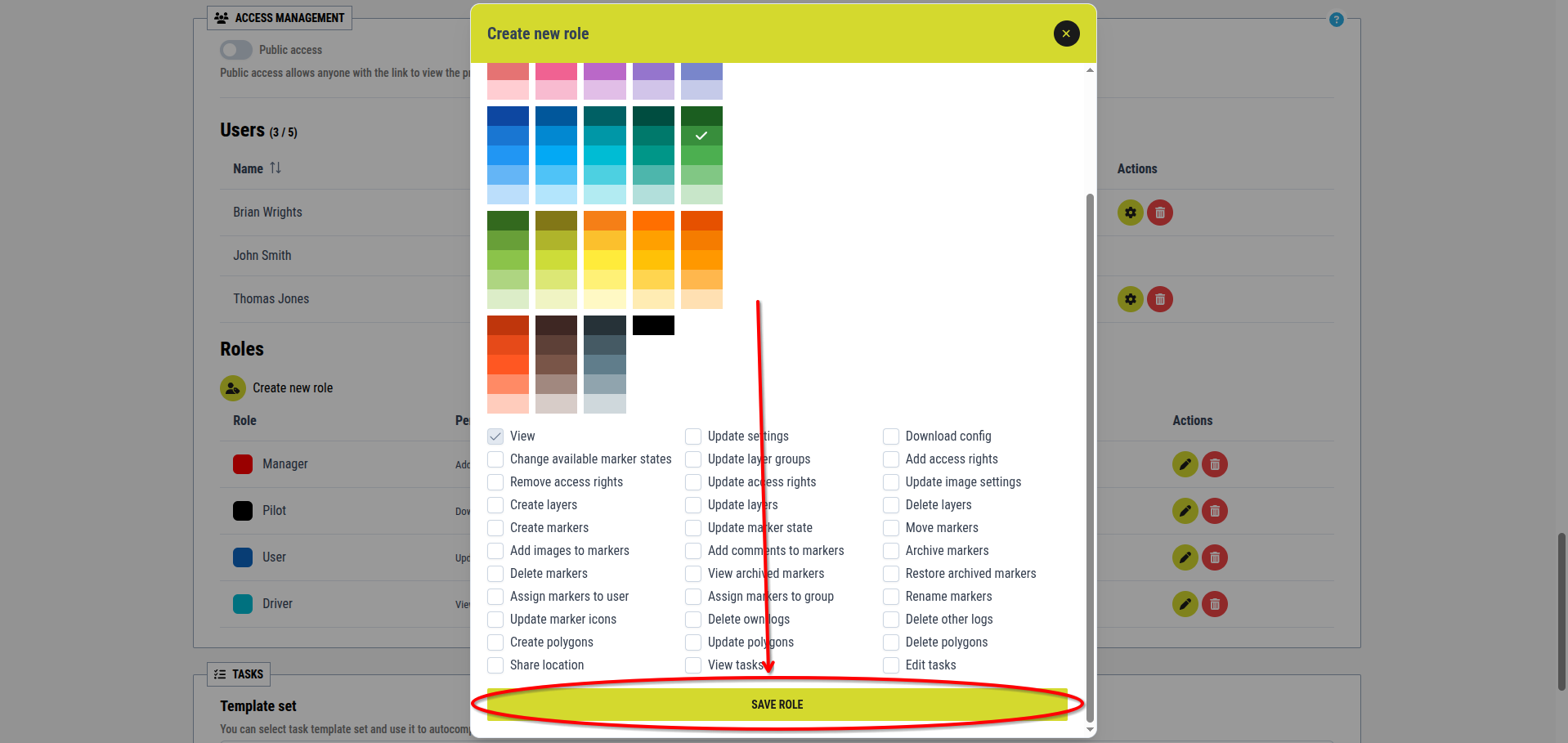
[Image for step 5]
There is no limit to the number of roles that can be created within a project.