Assign a role
Roles can be assigned by the project owner or by users with sufficient permissions.
The entire process is performed in the Access Management section within the project settings.
To assign a role to a user:
1. In the users list, click the Settings button next to the user to whom you want to assign a role
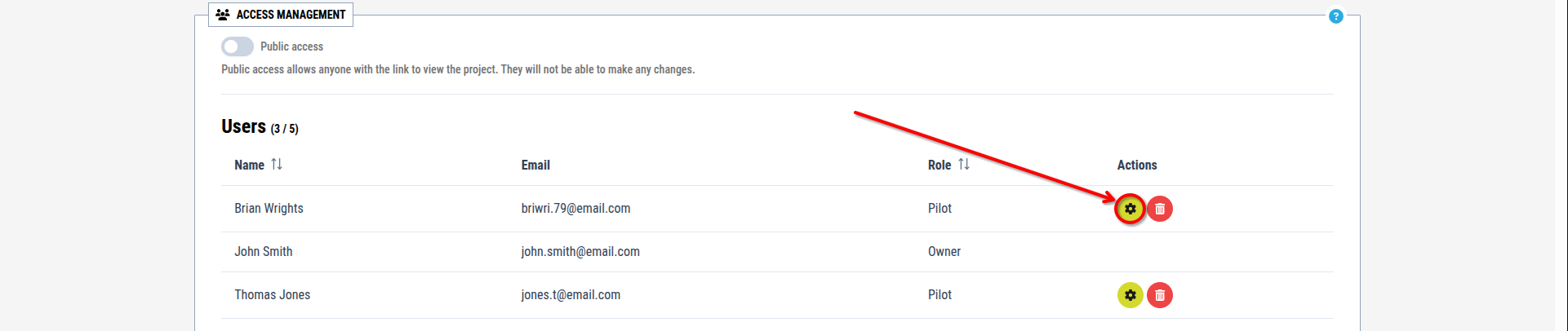
[Image for step 1]
2. Open the dropdown menu and select a role from the list


[Image for steps 2]
3. Click the Change Role button to confirm

[Image for step 3]
This process can be applied to any user except the project owner, and can be repeated without restrictions.